
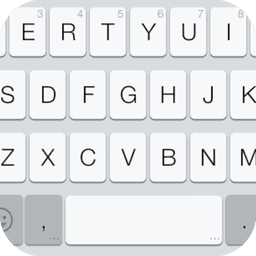
Screenshots
About Emoji Keyboard 7 - Cute Sticke
Emoji Keyboard 7 - Cute Sticke transforms how you express yourself by bringing a beautiful flat-style emoji keyboard to every app on your device. Tired of bland, generic keyboards? This custom keyboard theme delivers a sleek, modern interface with a clean white aesthetic that feels premium and intuitive.
Express yourself with vibrant emoji input available across all your favorite apps. The flat white style keyboard UI is designed for visual clarity and ease of use, while the custom keyboard font adds personality to your typing experience. Whether you're messaging friends, posting on social media, or chatting in any application, you'll enjoy seamless emoji insertion with just a few taps. The free version gives you access to the first page of each emoji category, perfect for everyday communication.
Navigation feels natural with gesture slide input, letting you swipe intuitively between emoji categories and keyboard layouts. Beyond emoji, the keyboard supports intelligent word suggestion for English, French, Italian, and Spanish input, making multilingual typing smooth and efficient. Need more customization? Access an extensive library of additional keyboard themes to match your personal style and device aesthetic.
Getting started is simple. Open the app and enable the emoji keyboard through your system input settings, then set it as your default keyboard in just a few clicks. Once activated, you'll unlock emoji input capabilities in any app that supports custom keyboards—no more limitations to where you can express yourself.
For Samsung device users (S3, S2, and others) who don't see colored emoji, an optional system font installation is available to unlock full emoji color support. Android devices running version 4.1 and below may have limited emoji visibility, though most modern devices display the complete emoji set beautifully.
Emoji Keyboard 7 - Cute Sticke is your gateway to more expressive, personalized typing across your entire Android experience. Download today and discover how a well-designed keyboard can transform everyday communication into something genuinely enjoyable.
Pros & Cons
Pros
- Works as a system-wide keyboard across all messaging and social apps
- Gesture swipe navigation makes browsing emoji categories quick and intuitive
- Supports intelligent word suggestions in English, French, Italian, and Spanish
- Multiple customizable keyboard themes available to match your personal style
Cons
- Free version limits you to first page of emojis per category
- Older Android devices (4.1 and below) may display emoji poorly or incomplete
- Samsung users need manual system font installation for colored emoji support
- Requires enabling custom keyboard in system settings and adjusting permissions
Related Apps

Educate Magis
Educate Magis
Connect with Jesuit educators worldwide—share insights, access global stories, and collaborate internationally.

Tap - Digital Business Card
Tap-Digital Business Card LLC
Digital business card app with lead capture, CRM sync, and team management for professionals.

TeamSpeak 3 (Cliente)
Low-latency voice chat for gaming teams and communities — private servers, text chat, and file sharing.

IFFCO Echo
IFFCO Group
Internal communication and approval management for IFFCO employees — stay connected and collaborate.

Video Branch
IndusInd Bank Ltd.
Video banking with face-to-face consultations — connect with your bank manager anytime, anywhere.

تواصل
وزارة التعليم - Ministry of Education
Contact Ministry of Education officials directly. Submit proposals, track inquiries, and get SMS updates.
Latest Articles

Melhores alternativas ao TikTok em 2026 (7 aplicativos de vídeo curto que funcionam)
Jul 14, 2026

Os melhores jogos de sobrevivência com astronautas presos em PC em 2026 (testamos 7)
Jul 13, 2026

Melhores apps para carros com Android Automotive OS em 2026
Jul 13, 2026

Melhores apps para assistir anime antologia no Android em 2026
Jul 13, 2026
Melhores aplicativos para varredura de vulnerabilidades de rede em 2026 (testamos 7)
Jul 13, 2026